
Guest pre-authentication / post-authentication workflow and the integration of the new printer-guest role to enable seamless printing from the Guest Wi-Fi network.
1. Overview
The SAES Guest Wi-Fi network uses ClearPass Captive Portal authentication.
When a device connects:
- It is placed into an isolated pre-authentication VLAN.
- After successful authentication, ClearPass assigns a post-authentication role and VLAN (224) using RADIUS attributes and a CoA (Terminate Session) action.
A new requirement was added:
- Allow Guest Wi-Fi users to print to a wired printer on the same guest subnet
- Printer IP: 10.10.224.30
- Must be accessible on all relevant printer ports
To meet this requirement, a new controller role was created and ClearPass enforcement profiles were adjusted.
2. Guest Authentication Workflow (Pre-Auth → Post-Auth)
Below is the exact sequence between the Client → AP → Controller → ClearPass.
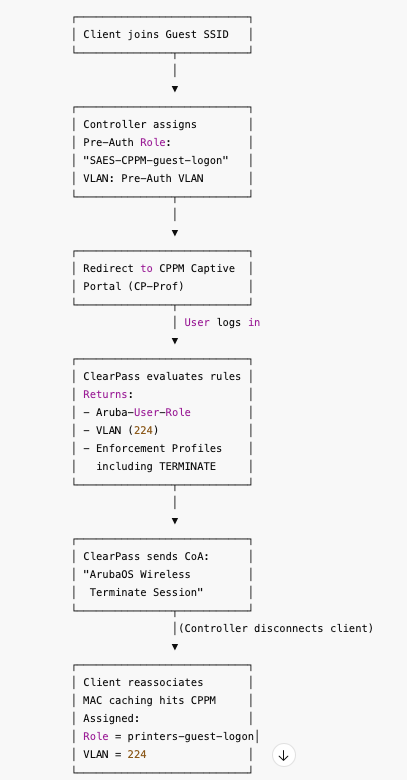
Flowchart:
(Client joins Guest SSID)
→ Controller assigns Pre-Auth Role "SAES-CPPM-guest-logon" + Pre-Auth VLAN
→ Redirect to CPPM Captive Portal (CP-Prof)
→ User logs in
→ ClearPass evaluates rules and returns:
- Aruba-User-Role
- VLAN 224
- Enforcement Profiles including TERMINATE
→ ClearPass sends CoA "ArubaOS Wireless – Terminate Session"
→ Controller disconnects client
→ Client reassociates and ClearPass MAC-caching assigns:
- Role = printers-guest-logon
- VLAN = 224
3. New Printer Guest Role (Aruba Controller)
Role Name: printers-guest-logon
ACL Rules (order matters):
1. Permit Printer Access:
- any → 10.10.224.30 tcp 443 permit
- any → 10.10.224.30 tcp 631 permit
- any → 10.10.224.30 tcp 9100 permit
- any → 10.10.224.30 udp 5353 permit
2. Guest Internet Traffic:
- any → any dns permit
- any → any dhcp permit
- any → any icmp permit
3. Deny Internal Networks:
- any → internal_networks.com any deny
4. Default Internet Permit:
- any → any any permit
4. ClearPass Enforcement Logic
ClearPass applies multiple enforcement profiles in the correct order.
Order Required:
1. Guest Role / VLAN Profile
2. MAC Caching Profiles
3. ArubaOS Wireless – Terminate Session (MUST be last)
If the Guest Role profile is below the CoA profile, VLAN transition breaks.
5. Final Working Sequence (Summary)
1. Client connects → Pre-auth role & VLAN
2. User logs into portal
3. ClearPass returns:
- Role = printers-guest-logon
- VLAN = 224
4. ClearPass sends Terminate Session CoA
5. Controller disconnects client
6. Client reconnects with:
- printers-guest-logon
- VLAN 224
7. Printing and internet work correctly
6. Troubleshooting Checklist
- Check controller role: show user <mac>
- Verify ClearPass Access-Accept contains correct values
- Ensure CoA/Disconnect is present
- Confirm enforcement profile order:
1. Role & VLAN
2. MAC caching
3. Terminate Session
- Verify controller ACL priority
7. Best Practices
- Check enforcement order after every edit
- Keep backups of roles and policies
- Use MAC caching
- Keep pre-auth VLAN isolated
- Ensure printers are in the same subnet for mDNS/AirPrint
8. Role & VLAN Reference
Role: SAES-CPPM-guest-logon | Purpose: Pre-auth portal only | VLAN: 8
Role: printers-guest-logon | Purpose: Post-auth with printer access | VLAN: 224
Role: SAES_guest-guest-logon | Purpose: Built-in guest role | VLAN: 224